Model your threats
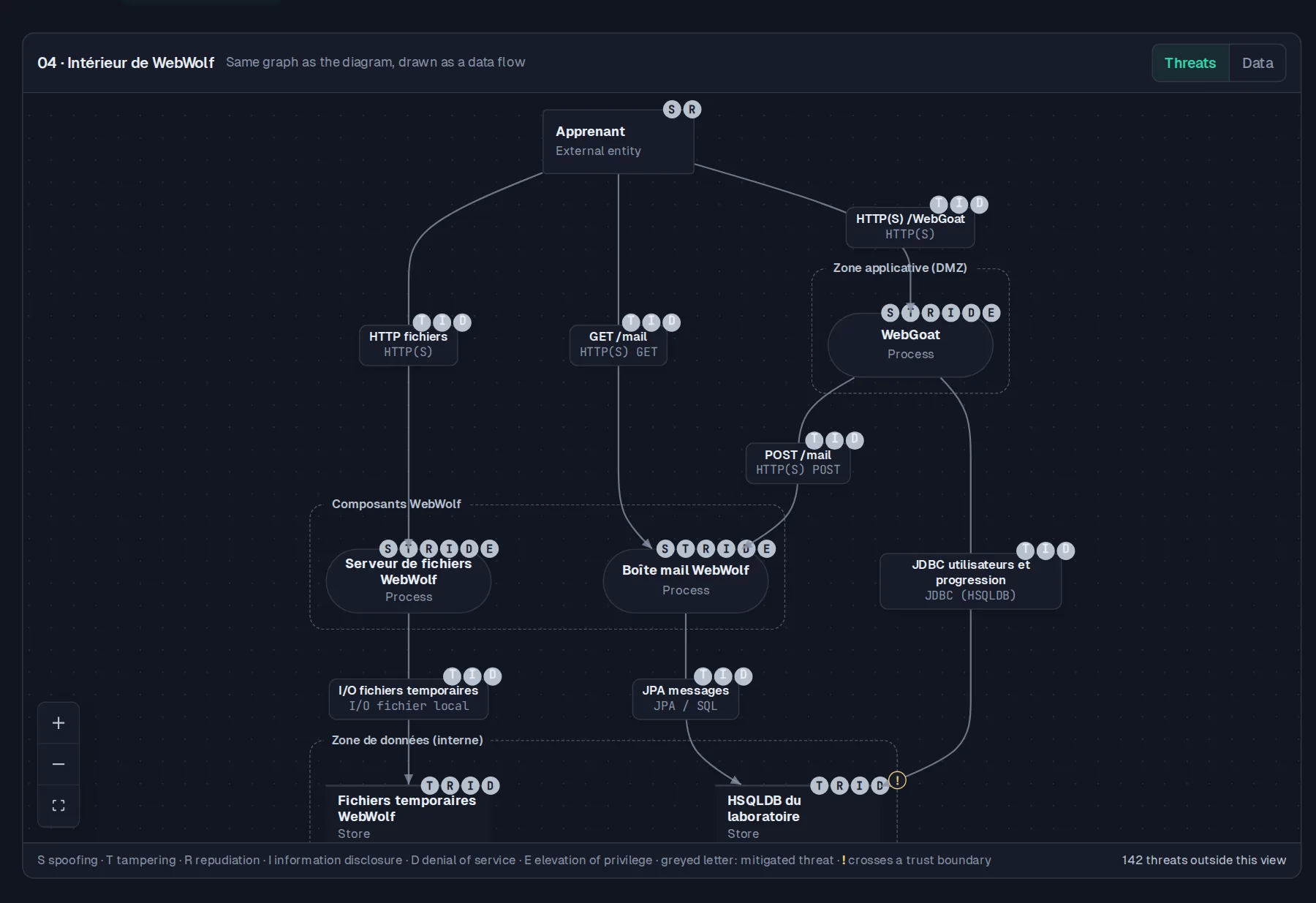
In a dedicated studio, you build your DFD and see the STRIDE threats for each element.
You can compare the diagram with the latest scan.
If signs of a threat reappear, you know what to review.

For architects
A flow crosses a trust boundary: which threats need review?
Model components and exchanges, then compare STRIDE threats with scan findings.
You have a scenario to discuss and specific code evidence to check.
A 30-minute demo on a project close to yours.
From design to proof
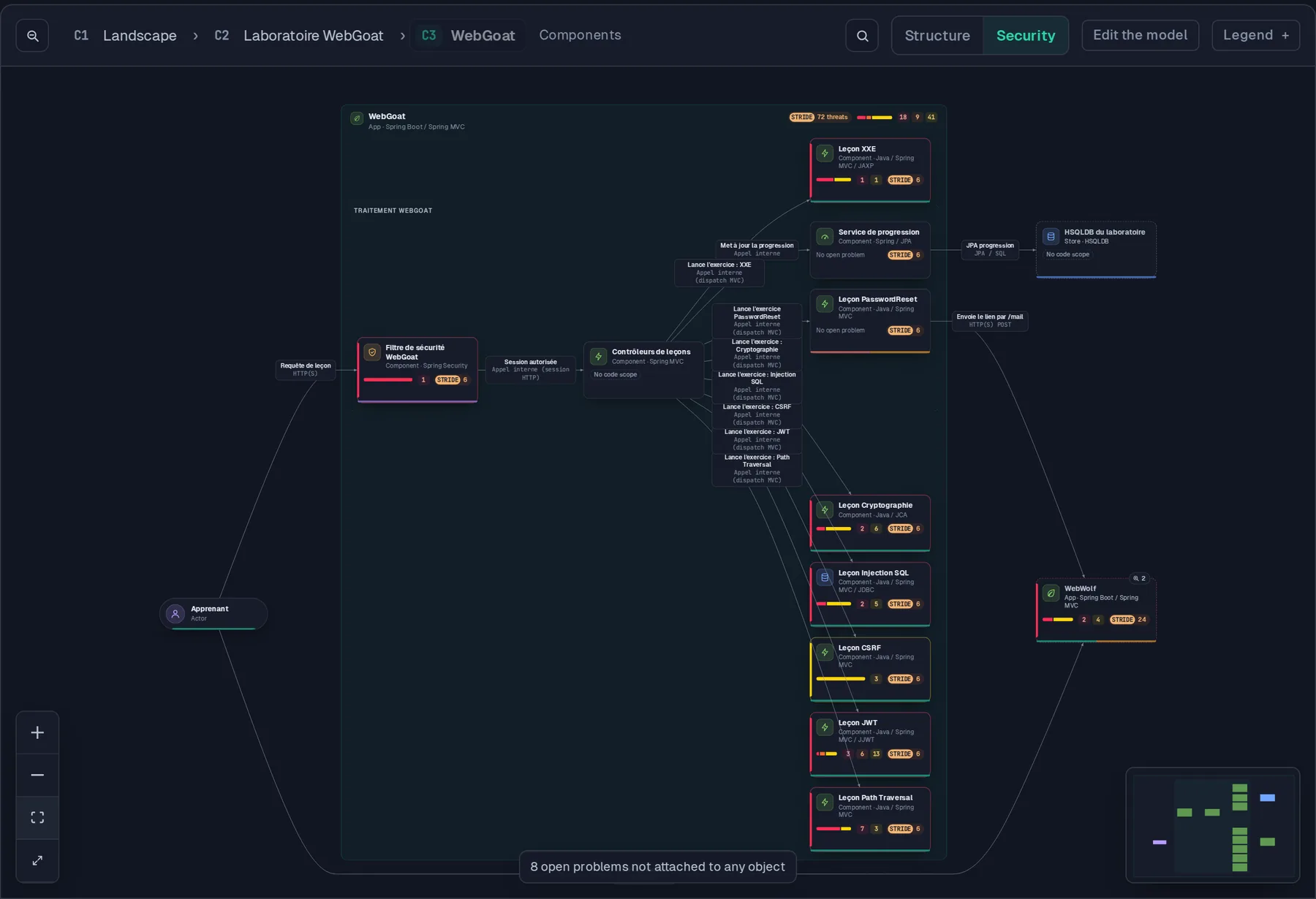
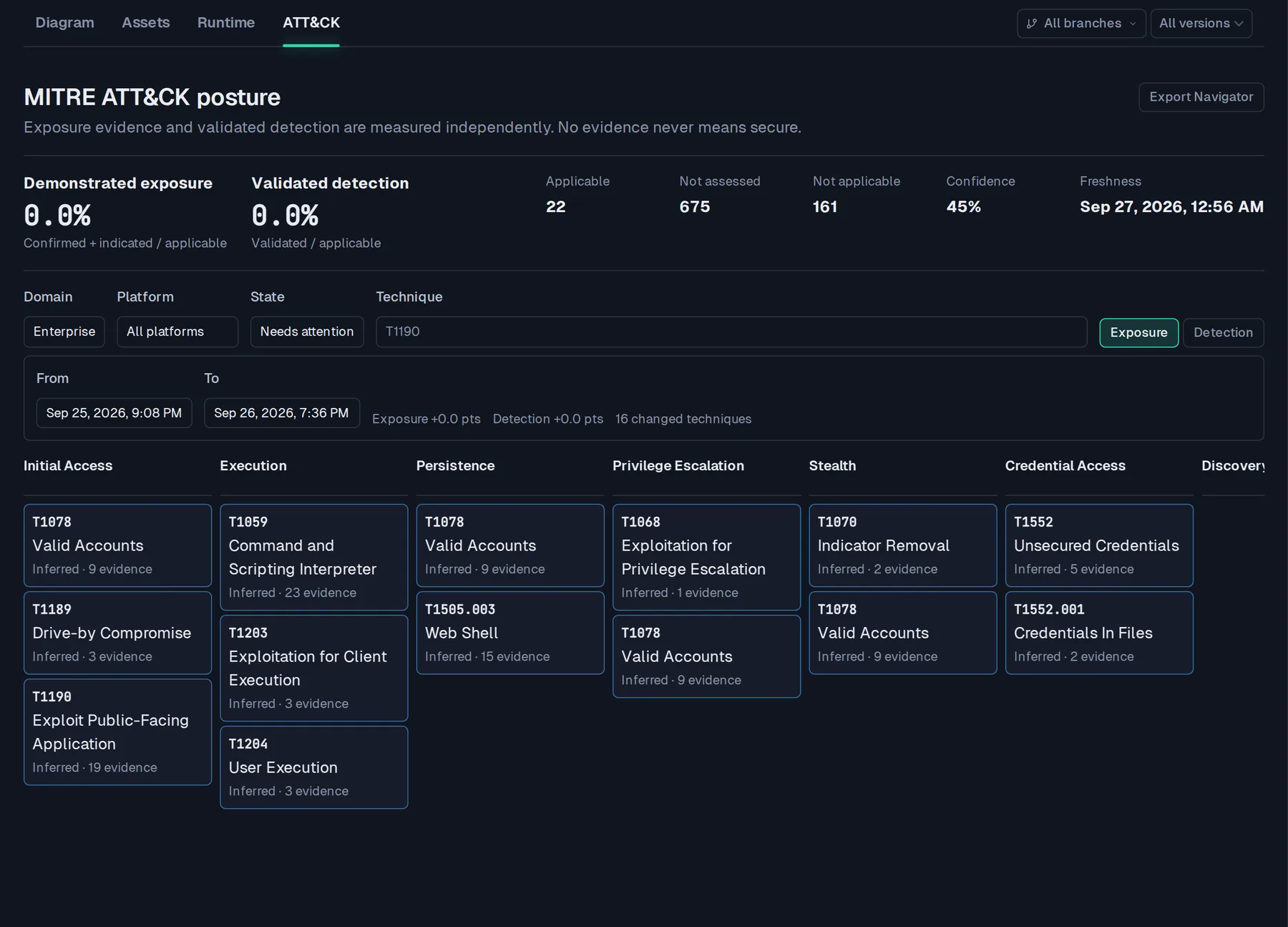
Four views of one model: containers, threats, components and attack techniques.
Demo screenshots. Results illustrate this project, not every project.
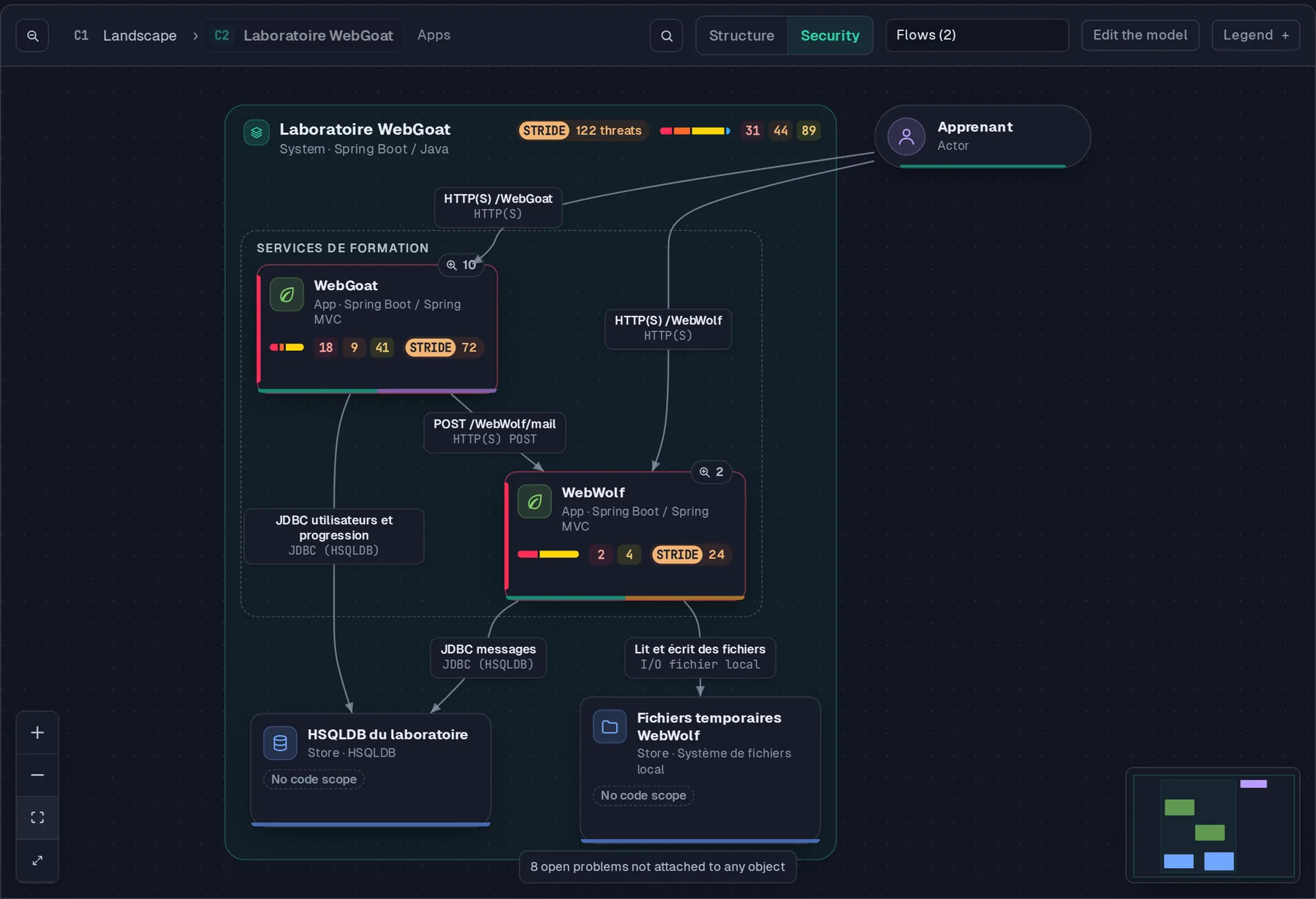
Tamis interface · scanned WebGoat project
Under the hood
In Tamis
In a dedicated studio, you build your DFD and see the STRIDE threats for each element.
You can compare the diagram with the latest scan.
If signs of a threat reappear, you know what to review.
C4 mapping connects your components, flows and trust boundaries to project findings.
You can compare and merge a draft of your future architecture without overwriting the current state.
The DFD graph identifies a point between the exposed surface and sensitive data.
A control there could protect several access paths.
Proximity also affects priority: a threat one hop from a payment database ranks ahead of the same flaw five hops away.
You see API endpoints found in code, specifications or traffic.
Tamis flags schema drift.
It also flags endpoints present in code but never observed in traffic, or the reverse.
You organize business assets, risk sources and scenarios, through to treatment.
Operational scenarios are prefilled from attack chains already detected.
Evidence is cited to help you review them.
The model provides scenarios describing how a malicious user could act.
You can pass them to development and testing teams.
On the same evidence
Good to know Your threat model describes what the team designed.
To know what the code actually does, you need findings and tests.
On the blog
The mechanics explained simply, then in depth. All articles